
Voice AI Agent Reporting: The Metrics Clients Actually Want
Voice AI agent reporting for agencies: answer rate, missed calls, call length, goal success, sentiment, transcripts and cost per call, with formulas.

By Kishan Makani, Founder & CEO
Updated · Published · 9 min read
Short answer
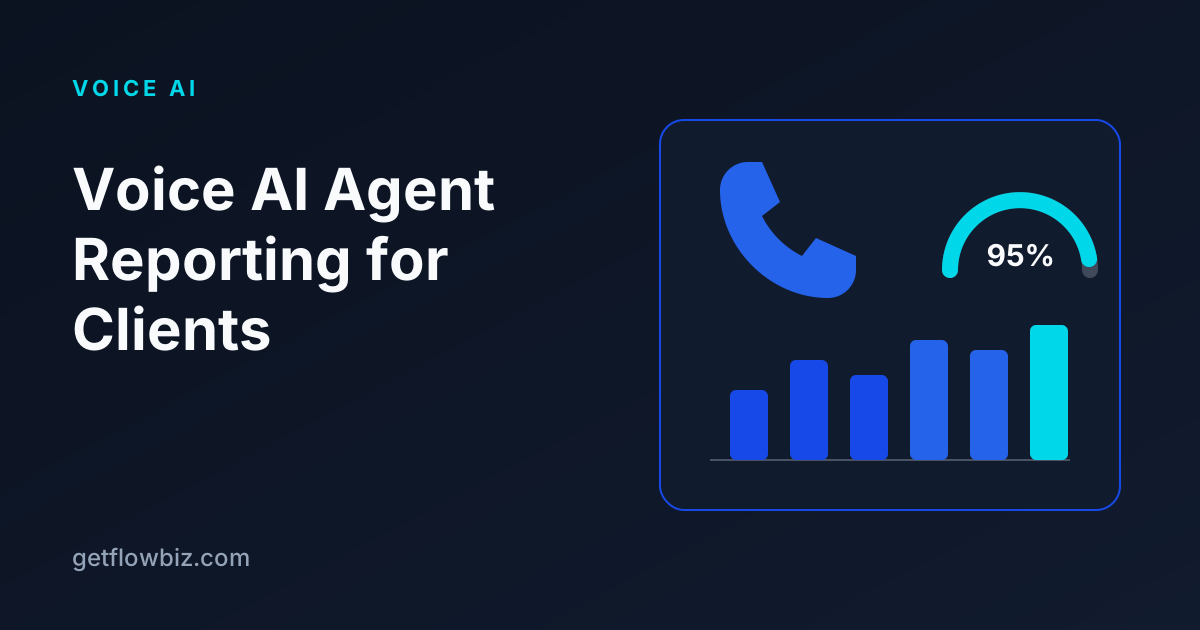
Good voice AI agent reporting shows a client seven things each month: total calls, answer rate, missed calls, average call length, goal success rate, caller sentiment, and cost per call, with transcripts one click away. Pull these from the voice platform's API and post-call analysis, define each metric once, and send the same branded report every week or month.
Key takeaways
- Lead with outcomes (calls answered, goals reached), then quality (sentiment, transcripts), then cost.
- Define answered and missed precisely: no-answer, busy, voicemail and failed dials are not answered calls.
- Retell includes sentiment and call success by default; on Vapi you set up success evaluation and structured outputs yourself.
- Post-call analysis arrives after the call ends, so reports should read it from the analysis webhook or the API, not the first call-ended event.
- Keep transcripts and recordings linked from every metric so clients can check the numbers themselves.
An AI receptionist that answers every call is worth little to an agency if the client cannot see it working. Most churn in voice AI retainers starts the same way: the client stops hearing about the agent, assumes nothing is happening, and cancels. A clear monthly report fixes that.
This guide covers which metrics to include, how to calculate each one from Vapi and Retell call data, and how to put them in front of clients without spending a day a month on spreadsheets.
What should a voice AI agent report include?
Clients buy an AI receptionist or outbound caller to handle calls their staff would otherwise miss or spend time on. The report should answer three questions in this order:
- Did it pick up? Total calls, answer rate, missed calls.
- Did it do the job? Goal success rate (bookings, qualified leads, transfers) and outcomes by reason.
- How did it go? Average call length, caller sentiment, and transcripts or recordings for spot checks.
Cost per call belongs in the report too, but who sees it depends on your pricing. If you pass minutes through at cost, show it to the client. If you charge a flat retainer, keep it in your internal view so you can track margin.
Which voice agent metrics matter, and how are they calculated?
| Metric | Definition | How to calculate | Where the data comes from |
|---|---|---|---|
| Total calls | Every inbound, outbound or web call attempt in the period | Count of calls | List-calls API or call webhooks |
| Answer rate | Share of calls where a person and the agent actually talked | Answered calls / total calls | Call status and end reason |
| Missed calls | Calls that never connected to a person | No-answer + busy + voicemail + failed dials | End reason (for example Retell dial_no_answer, voicemail_reached) |
| Average call length | Mean duration of answered calls | Sum of answered durations / answered calls | Start and end timestamps or duration field |
| Goal success rate | Share of answered calls that met the client's success criteria | Successful calls / answered calls | Retell call_successful, Vapi successEvaluation |
| Caller sentiment | Positive, neutral or negative mix | Count per label / calls with a label | Retell user_sentiment, or a Vapi structured output you define |
| Cost per call | What the platform charged for the call | Total platform cost / total calls | Call cost field from the platform API |
Two rules keep these numbers honest. First, calculate average call length and goal success over answered calls only; including 0-second missed dials drags both down. Second, keep calls with no analysis result out of the denominator for sentiment and success, and show how many were unscored.
How do you count answered and missed calls correctly?
This is the metric clients notice first and the one most often calculated wrong. A call that ends in voicemail on an outbound campaign is not an answered call, even though the platform may mark it as ended normally.
Use the platform's end reason, not just the status. Retell's disconnection reasons include values such as dial_no_answer, dial_busy, dial_failed and voicemail_reached, and its default post-call analysis includes an in_voicemail flag. Vapi reports an endedReason on every call in the end-of-call report; group the no-answer, busy, voicemail and error reasons as missed.
How do goal success and sentiment work on Vapi and Retell?
Both are produced by the platform's post-call analysis, which runs after the call ends. That timing matters: if your reporting only listens to the first call-ended event, these fields will be empty.
Retell
Retell adds four built-in fields to every call: call_summary, user_sentiment, call_successful and in_voicemail. Success is judged against criteria you define on the agent. Sentiment is inferred from the transcript by an LLM, not from tone or pitch, which is worth telling clients so they read it correctly. The results are written to call_analysis after analysis finishes and are not in the call_ended payload, so read them from the call_analyzed webhook or the Get Call API.
Vapi
Vapi's call analysis gives a summary, structured data extracted to your JSON schema, and a success evaluation stored in call.analysis.successEvaluation. The evaluation can use one of eight rubrics, including pass/fail, a 1 to 10 numeric scale and a checklist. Vapi now recommends structured outputs over the older analysisPlan. There is no fixed sentiment field, so add one as a structured output if a client wants it.
For reports across many clients, a pass/fail success result is the easiest to roll up into a single success rate. Numeric scales are useful internally for tuning prompts, but clients read a percentage more easily.
What does a monthly AI receptionist report look like? (worked example)
The numbers below are a made-up example for a dental clinic's inbound receptionist, shown only to illustrate the layout and formulas.
| Metric | Value | Calculation |
|---|---|---|
| Total calls | 400 | All inbound calls |
| Answered | 380 | 400 minus 20 missed |
| Answer rate | 95% | 380 / 400 |
| Missed calls | 20 | Caller hung up before pickup, or line errors |
| Average call length | 2m 40s | Answered minutes / 380 |
| Appointments booked (goal success) | 171 (45%) | 171 / 380 answered |
| Sentiment | 70% positive, 22% neutral, 8% negative | Share of 360 calls with a sentiment label |
| Cost per call | $0.31 | Platform cost of $124 / 400 calls |
Under the table, add two or three lines of plain commentary: what changed from last month, one example transcript that went well, and one that did not with what you changed. That short note does more for retention than another chart.
How do you set up client reporting for voice agents?
- Agree on success with the client. Write down what counts as a successful call (appointment booked, lead qualified, call transferred) and configure it in Retell success criteria or a Vapi success evaluation.
- Connect the platform by API key. Use the list-calls API to backfill history so the first report is not empty.
- Subscribe to the right webhook. Retell
call_analyzedor Vapiend-of-call-report, so new calls and their analysis arrive without polling. Verify Retell'sx-retell-signatureheader. - Map every call to one schema. Answered, direction, duration, end reason, success, sentiment, cost, transcript and recording link. This lets you report Vapi and Retell agents side by side.
- Assign each agent to a client. One client may have several agents (main line, after-hours, outbound follow-up). Roll them up.
- Store data beyond platform retention. Vapi's pay-as-you-go plan keeps raw call data for 14 days, so copy calls into your own system if you promise longer history.
- Send on a schedule. Weekly for new clients in their first month, monthly after that.
Should clients see transcripts and recordings?
Usually yes, with limits. Transcripts let clients verify that the agent said the right things, and they answer most "did the AI actually handle that?" questions without a support ticket. Link each call row in the report to its transcript and summary.
Be careful with recordings and caller numbers in regulated industries. Check consent rules for call recording in your client's jurisdiction, and if the client is in healthcare, confirm the platform and your portal are covered by a BAA before showing call content. Retell sells PII removal as an add-on, which can help when transcripts contain personal data.
What should you leave out of a client report?
Keep builder metrics out of the client view. Token counts, model latency, prompt versions and webhook errors matter to your team, not to a clinic manager. Put them in an internal dashboard and alert on them there. The client report should fit on one screen: the core metrics, a short note, and links to calls. If a client asks for more detail, add it for that client rather than for everyone.
Where should cost per call appear?
Both Vapi and Retell return a cost for each call through their APIs. Track it per call and per client even if the client never sees it. It tells you whether a long prompt or a premium voice is eating your margin, and it gives you a basis for repricing when usage grows.
If you bill usage on top of a retainer, show cost per call and total minutes in the client report so the usage line on the invoice is not a surprise. If you bill flat, keep it internal and compare it with the retainer each month.
What tools can produce these reports?
You have three options. You can export calls from each platform and build reports in a spreadsheet, which works for two or three clients. You can build your own pipeline with n8n or Make that pulls calls into a database and a dashboard tool. Or you can use a client portal that already understands voice calls.
| Approach | Setup effort | Ongoing effort | Good for |
|---|---|---|---|
| Platform dashboard screenshots | None | High, manual each month | One or two clients, short term |
| Spreadsheet from API exports | Low | Medium to high | A handful of clients on one platform |
| Custom pipeline (n8n or Make + database + BI tool) | High | Medium, you maintain it | Teams with in-house developers |
| Client portal with voice analytics | Low | Low | Agencies with many clients or several voice platforms |
GetFlowBiz is one example of the last option. It connects Vapi, Retell, Bland, ElevenLabs Agents, Synthflow and other voice platforms by API key, normalises each call (answered, direction, duration, outcome, sentiment, cost, transcript, recording), and shows calls, answer rate, missed calls, average call length and caller sentiment in a white-label client portal. It can also email scheduled weekly or monthly reports in your branding. See the Vapi integration and Retell integration.
Start reporting before the client asks
Send the first report at the end of week one, even if the numbers are small. Clients who see answered calls and booked appointments early are far easier to keep. GetFlowBiz is free right now through its Founding Member program, where the first 100 accounts stay free forever, so you can sign up free and connect your voice platforms in a few minutes.
Frequently asked questions
What is a good answer rate for an AI receptionist?
There is no universal benchmark, so compare against the client's own baseline before the agent went live. An inbound AI receptionist should pick up nearly every call that reaches it; most missed calls on inbound lines are callers hanging up early or line errors. Outbound campaigns have much lower answer rates because many people do not pick up.
How do I get caller sentiment from Vapi?
Vapi's call analysis returns a summary, structured data and a success evaluation, but no fixed sentiment field. Add a sentiment property (positive, neutral, negative) to a structured output or structured data schema, and Vapi will extract it after each call.
Why is Retell's call_successful field empty in my webhook?
Retell writes post-call analysis to the call after analysis finishes, and the call_ended webhook does not include it. Listen for the call_analyzed webhook or fetch the call with the Get Call API to read call_successful, user_sentiment and call_summary.
Should average call length include missed calls?
No. Calculate average call length over answered calls only. Missed, busy and voicemail calls have little or no talk time and pull the average down, which makes the agent look like it is rushing callers when it is not.
How often should I send voice AI reports to clients?
Weekly during the first month after launch, when clients are deciding whether the agent works, then monthly. Include a short written note with what changed and one example transcript alongside the metrics.
Sources
Founder & CEO, GetFlowBiz
Kishan builds GetFlowBiz, the client portal and operations platform for automation and AI agencies. He writes about running, pricing and reporting on automation work. More from Kishan