
How to Price Automation Services: Setup Fees, Retainers and Usage Pricing
How to price automation services: setup fees, monthly retainers, per-run and value pricing, with worked examples and how to protect margin as usage grows.

By Kishan Makani, Founder & CEO
Updated · Published · 9 min read
Short answer
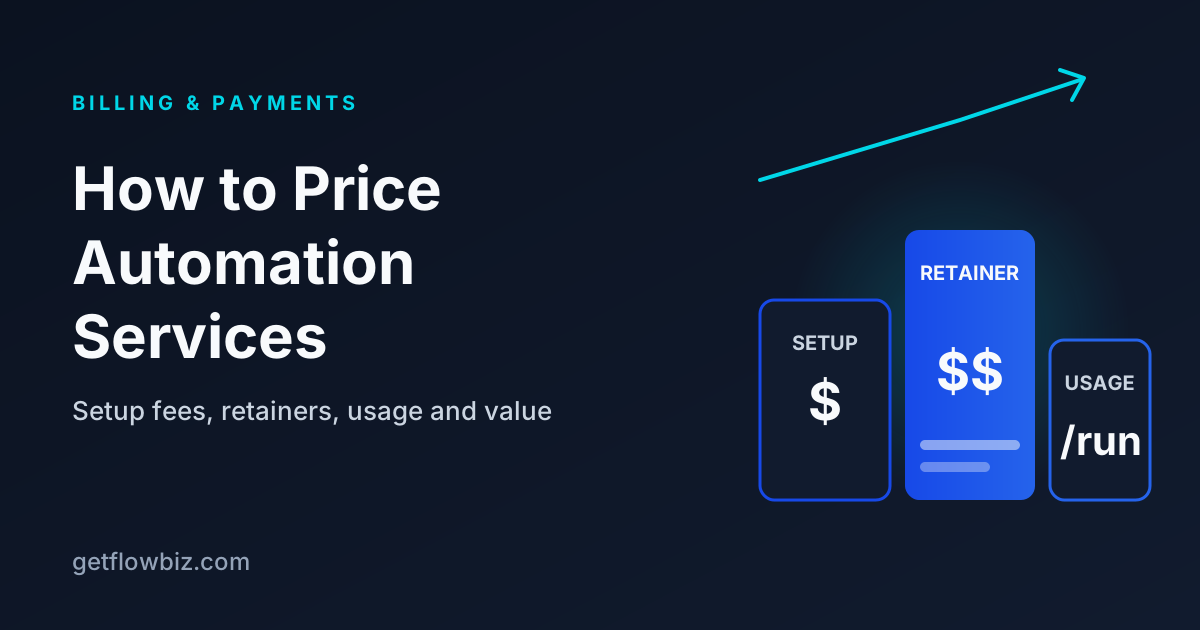
Price automation services with a one-time setup fee that covers discovery and build, plus a monthly retainer that covers monitoring, fixes and reporting. Add usage pricing (per run, per minute or pass-through) when volume drives your costs, and anchor everything to the value delivered, such as hours saved, rather than the hours you spent building.
Key takeaways
- Separate the build (setup fee) from the run (monthly retainer); they pay for different work.
- Hourly billing punishes you for getting faster with templates.
- Model platform, LLM and telephony costs per client before you quote a flat price.
- Usage pricing protects margin on high-volume workflows and voice agents.
- Value pricing works best when you can measure the result every month.
Pricing is the decision that shapes everything else in an automation agency: which clients you attract, how much time you can spend on each, and whether growth makes you richer or just busier. Most agencies start by guessing a number, then discover six months later that their biggest client is their least profitable one.
This guide covers the four pricing models that work for automation and AI agencies, how to combine them, and how to check your margin before you send a quote. All figures below are worked examples, not market rates. Your numbers will depend on your niche, region and the value you deliver.
How should you price automation services?
The most common structure is a hybrid: a setup fee for discovery, design and build, then a monthly retainer for running the automation. A usage component is added when the client's volume directly drives your costs. Value pricing sits on top as a way to set the overall level, not as a separate invoice line.
The reason to split build and run is simple. They are different jobs. The build is a project with a start and end. The run is an ongoing promise: you watch for failures, fix breakages when a connected app changes, handle small adjustments and report results. Clients understand paying for both when you name them separately.
What are the main automation pricing models?
| Model | How it works | Best for | Main risk |
|---|---|---|---|
| Hourly / day rate | Bill time spent building and fixing | Ad-hoc work, unclear scope, early discovery | You earn less as you get faster; clients watch the clock |
| Setup fee + retainer | Fixed build price, then a monthly fee for monitoring, fixes and reports | Most packaged automation offers | Scope creep inside the retainer if limits are vague |
| Usage-based (per run, per minute) | Charge per execution, task, call minute or lead processed | High-volume workflows and voice agents | Revenue swings month to month; needs accurate tracking |
| Value-based | Price set from the measured result (hours saved, revenue recovered) | Clients with clear, measurable outcomes | Hard to defend without trustworthy monthly data |
How do you calculate a setup fee?
Start from your cost of delivery, then adjust for value and reuse. A setup fee should cover discovery calls, solution design, the build, testing against real data, a handover session and a buffer for the surprises every integration brings.
- Estimate build hours honestly, including discovery, testing and the edge cases you always forget.
- Multiply by your internal day or hourly rate to get your delivery cost. This number is for you, not the client.
- Add a risk buffer for unfamiliar APIs or messy client data. Make it larger the less you know about the systems; the example below uses 30%.
- Check it against value. If the automation saves the client far more than the fee in its first few months, you have room to price higher.
- Discount for reuse only if you want to. A template you have built five times costs you less, but the client's value has not changed.
Example: a lead-routing workflow takes an estimated 16 hours across discovery, build and testing. At an internal rate of $100 per hour that is $1,600 of delivery cost. A 30% buffer brings it to about $2,080, so a setup fee of $2,000 to $2,500 covers cost. If the client values the saved time at several thousand dollars a year, you can justify the upper end.
What should a monthly automation retainer include?
A retainer is a promise to keep things working and to keep proving they are worth it. Write down exactly what it covers so neither side has to guess.
- Monitoring and alerts on every production workflow, with a stated response time for failures.
- Maintenance when a connected app changes its API, fields or authentication.
- A fixed allowance of small changes, for example up to two hours a month or a set number of change requests.
- Usage up to a limit, such as a number of executions, credits or voice minutes, with overage pricing above it.
- A monthly report with runs, success rate, hours saved and any incidents.
- What is not included: new workflows, new integrations and major redesigns, which are quoted separately.
A practical way to set the retainer: add your expected monthly maintenance time, your monitoring overhead and the platform costs you carry for that client, then add your target margin. If the result is close to the platform cost alone, the retainer is too low or the costs should be passed through.
When should you use per-run or usage pricing?
Use usage pricing when the client's volume drives your costs. Every major platform bills by usage in some form, so a flat fee on a high-volume workflow quietly hands your margin to the platform as the client grows.
| Platform | Your cost unit | What to do in client pricing |
|---|---|---|
| n8n Cloud | Workflow executions per month, regardless of steps | Include a monthly execution allowance; price overages per 1,000 runs |
| Make | Credits, usually one per module action | Estimate credits per run (steps × runs), then add a margin |
| Zapier | Tasks, counted per successful action step | Count action steps per Zap run; watch AI and MCP steps that use more |
| Vapi | Per-minute hosting plus model and telephony costs | Price per minute or per call, with all components included |
| Retell | Per connected minute, built from LLM, voice and telephony components | Price per minute with a monthly minimum; treat concurrency as a tier |
Example: a voice agent answers after-hours calls. Your all-in cost across hosting, model and telephony works out to a certain amount per minute once you add the components on each provider's pricing page. Charge the client a per-minute rate that is a set multiple of that cost, or include a block of minutes in the retainer and bill extra minutes at the per-minute rate. Either way, the margin holds as call volume grows.
How does value-based pricing work for automations?
Value pricing sets your fee as a share of the measured result. For automation, the easiest result to measure is time saved: minutes saved per run, multiplied by runs, multiplied by what an hour of that work is worth to the client.
Example: a document-processing workflow saves 6 minutes per run and runs 1,500 times a month. That is 9,000 minutes, or 150 hours. If the client values that work at $40 per hour, the automation delivers $6,000 of time each month. A retainer of $1,000 to $1,500 is a fraction of that value and easy to defend, as long as you report the number monthly.
Value pricing fails when you cannot show the number. Agree on the minutes-per-run figure and the hourly value with the client in writing at the start, then report against it. Our guide to proving automation ROI covers the method in detail.
How do you protect margin as clients grow?
Margin leaks slowly. A client adds a new form, volume doubles, an AI step gets a longer prompt, and the retainer you set a year ago now barely covers costs. Three habits prevent this:
- Record every cost against a client: platform usage, LLM tokens, telephony, hosting and any third-party APIs.
- Compare revenue and cost per client monthly, not just in total. The total can look healthy while one account loses money.
- Review pricing at renewal using the data. A client whose volume tripled should not be surprised by a new tier if you have been reporting volume all along.
This is the problem GetFlowBiz is built around. You set a monthly price, setup fee and cost per run for each client, record costs by type (provider, API, LLM, telephony), and see profitability per client next to the run data from your connected platforms. Subscriptions can create invoices automatically, and clients pay in their portal.
How do you collect payment for automation retainers?
Retainers should renew automatically. Chasing a monthly invoice by email wastes time and makes clients feel billed instead of served. Card and mandate-based providers handle recurring charges: Stripe, for example, creates an invoice for each subscription period and attempts collection automatically, with retries when a payment fails.
If your clients are in different countries, offer a payment method that fits their currency and region. GetFlowBiz supports 12 client payment methods, including Stripe, Razorpay, PayPal, Paddle, Mollie and bank transfer or UPI, with 0% platform fee, and auto-pay on six of them. See automation agency invoicing for the billing workflow end to end.
How do you present automation pricing to a client?
Present one recommended package, not a menu of hourly options. Lead with the problem and the measured value, then the price. A simple proposal has four parts:
- The problem in their words, with the numbers you gathered in discovery, such as how many leads arrive per week and how long each takes to handle.
- The outcome, stated as a result: "every lead gets a reply and a CRM record within two minutes."
- The price, split into a setup fee and a monthly retainer, with included usage and the overage rate spelled out.
- How you will prove it, meaning the metrics in the monthly report and the minutes-per-run figure you agreed.
Offering a second, larger option (more workflows, faster response times, more change hours) gives the client a choice without reopening the whole price. Avoid a cheaper third option that strips out monitoring. It invites the client to buy the version most likely to fail.
What pricing mistakes should automation agencies avoid?
- Unlimited changes inside a retainer. Cap them in hours or requests.
- Flat fees on usage-heavy work. Volume growth turns into margin loss.
- No setup fee. The retainer then has to repay the build, and early cancellations leave you out of pocket.
- Pricing below the platform cost. Check the vendor's pricing page for your expected volume before you quote.
- No price review clause. Write in an annual review based on volume and scope.
Where GetFlowBiz fits
GetFlowBiz gives automation and AI agencies one place to set per-client pricing, track costs and margin, send invoices in any currency and collect payment through the client's own branded portal. It is free right now through the Founding Member program, and the first 100 accounts stay free forever. Take a look at the features and pricing, or sign up free.
Frequently asked questions
How much should I charge for an automation project?
Charge for an automation project by estimating your full delivery time, multiplying by your internal rate, adding a buffer for unknown systems, and then checking the result against the value the automation delivers. Quote a fixed setup fee for a defined outcome rather than an hourly estimate.
Should automation agencies charge hourly or a fixed retainer?
Most automation agencies do better with a fixed setup fee plus a monthly retainer than with hourly billing. Hourly billing pays you less as you get faster with templates, while a retainer pays for ongoing monitoring, maintenance and reporting and creates predictable recurring revenue.
What should be included in an automation retainer?
An automation retainer typically includes monitoring and failure alerts, maintenance when connected apps change, a capped allowance of small changes, usage up to a stated limit, and a monthly results report. New workflows, new integrations and major redesigns should be quoted separately.
How do I price AI voice agents for clients?
Price AI voice agents per minute or per call, based on your all-in cost per minute across platform hosting, the language model, voice and telephony. Either charge a per-minute rate with a margin or include a block of minutes in a monthly retainer and bill extra minutes on top.
What is value-based pricing for automation?
Value-based pricing for automation sets the fee as a share of the measured result. The usual measure is time saved: minutes saved per run, multiplied by runs per month, multiplied by the client's hourly value. It works when the agency reports that figure every month.
Should I pass platform costs through to automation clients?
Passing platform costs through to clients makes sense when usage is high or unpredictable, such as LLM tokens or voice minutes. For steady, low-volume workflows, including usage up to a limit in the retainer is simpler. In both cases, track costs per client so margin stays visible.
Sources
Founder & CEO, GetFlowBiz
Kishan builds GetFlowBiz, the client portal and operations platform for automation and AI agencies. He writes about running, pricing and reporting on automation work. More from Kishan